
One reminder per customer, never a pile.
Each run looks at every open invoice and sends each customer one message: the furthest step they have reached, with a link to pay.
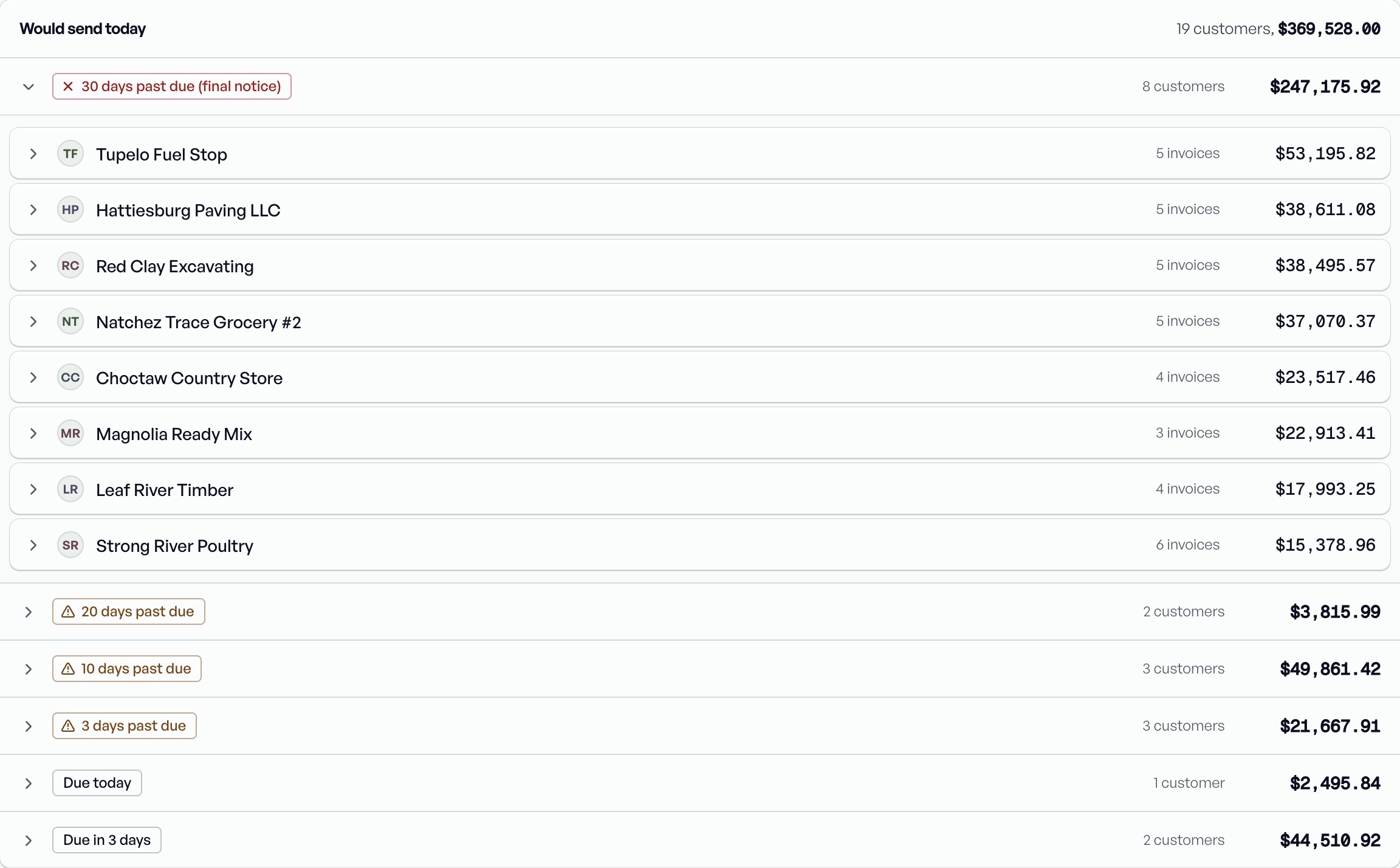
How a run decides.
- Your schedule
- Set the steps: a heads-up before the due date, then reminders at the days past due you choose.
- Email and text
- Sent from your company name, with the balance, the invoices and a pay link.
- Left alone
- Customers on autopay, with an active promise to pay, or on terms nobody has mapped are skipped.
- You see it first
- The reminders screen shows who gets what today before anything goes out.
Promises pause reminders.
When a customer says the check is coming, log the promise with the amount and the date. Paydryn holds their reminders until that day, then picks up again if the money hasn't arrived.
Promise to payMagnolia Ready MixPromised $12,400 by Nov 20Reminders paused until the date
More of what Paydryn does.
- Due dates from termsTurn each PDI terms code into a real due date.
- Pay links and paymentsCustomers pay by bank or card, straight from the reminder.
- Credit holdsSee who is over their limit before the next load.
- Posting reportA daily list to key payments into PDI, checked every night.
- PDI connectionA read-only agent your IT person can check in an afternoon.
See your own past-due list in Paydryn.
We connect to your PDI read-only and show you what Paydryn would collect. No migration, no change to how your office posts.
Book a demo